
What is a landing page on a website and why do you need one?
When exploring digital marketing or running campaigns, you often encounter targeted web spaces that answer what is a landing page on a website. These focused pages are designed to guide visitors toward a specific offer, announcement, or campaign without the distractions of a full corporate website. Visitors land directly on the exact information they are looking for, which helps improve engagement and conversion rates significantly.
If you run a business or create content, setting up dedicated transitional screens helps you manage traffic smoothly. For instance, the Splash pages menu allows you to show a countdown, an announcement, or a brand message before visitors reach their final destination link. While alternatives like Linktree offer basic analytics and features, they might limit your ability to use custom domains as noted in their help center. Using a suitable platform like tappon.bio lets you manage your links and pages under your own brand with ease.
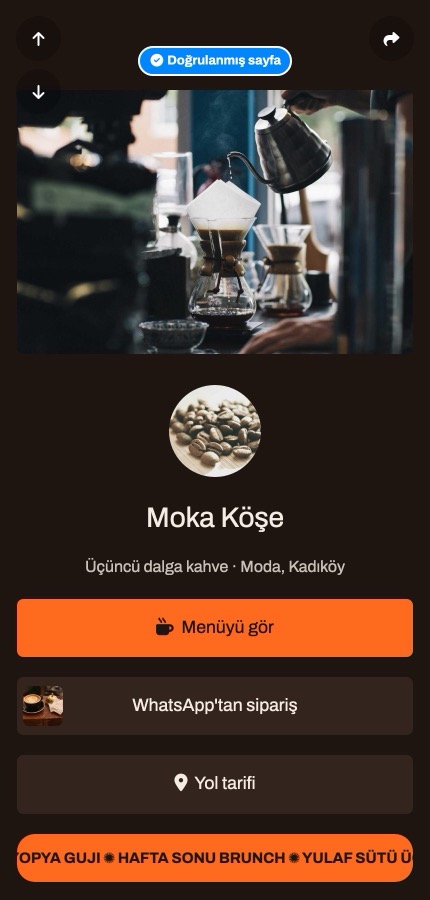
Using the Link block on your bio page
After setting up an engaging welcome screen, you can add functional Link blocks to direct your audience to menus, order forms, or ticket links with a single tap. This block acts as a clean, actionable button that places your most important destination right in the spotlight. You can easily drag and drop these elements to organize your page layout. Unlike other tools that may restrict your options on free tiers, using this block helps keep your page tidy and effective.
Practical steps to set up your page
Building your targeted page and managing your digital presence is simple when you follow these steps:
- Go to the Splash pages menu in your dashboard to create a new transitional screen with your campaign text and timer.
- Open your biolink page from the left menu, add a Link block, and enter your destination address along with the button text.
- Customize your page colors, background, and fonts using the available themes to match your brand identity.
- Copy your page address and paste it into your social media profiles or ad campaigns to start welcoming visitors.
These features provide a reliable way for creators, cafes, and businesses to showcase their offers professionally. Start for free today at tappon.bio.