A bio link is a single link you put on your social media profile. Anyone who taps it lands on a small page you've built, with your menu, booking form, latest video, shop and contact details all in one place.
The name says it: the "bio" is the short intro on your profile, and the "link" is what you put there.
Why do people need one?
Social profiles are short. You get a few lines of text and limited room for links. But a café has a menu, a location and bookings. A musician has songs, tour dates and a contact address.
A bio link solves this. Your profile holds one address, and visitors find what they came for on that page. When you have something new to share, you update the page, not your profile. The link stays the same, so your older posts keep working too.
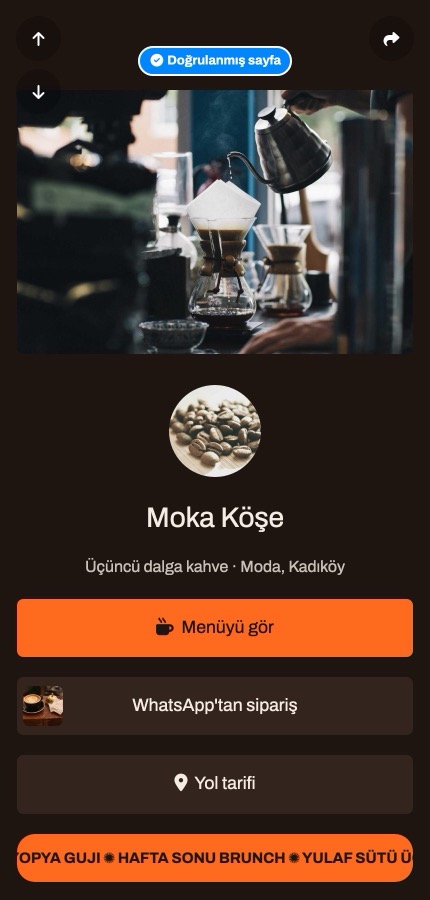
What goes on a bio link page?
- Your name, photo and a short intro
- Links to your website, shop or bookings
- Your social media accounts
- Videos, music or photos
- Contact buttons, such as WhatsApp
- Extras like a contact form or a countdown
You decide what goes on the page. A good one doesn't show everything; it puts first whatever is most useful to the visitor right now.
How does it work?
There are three steps: build your page, get your personal link, and add it to your profile. You don't need to know how to code, and later changes go live straight away.
Can a bio link replace a website?
Sometimes. If a short intro, a few links and your contact details are enough, a bio link can do the job alone. If you have a large catalogue, long-form content or a business that relies on search traffic, you need a website. In that case the bio link doesn't compete with your site; it's how people get there from social media.
In short
A bio link turns the one link on your profile into a small shop window, so people arriving from social media quickly find what they're looking for.
Want to try your own? You can start free at tappon.bio.